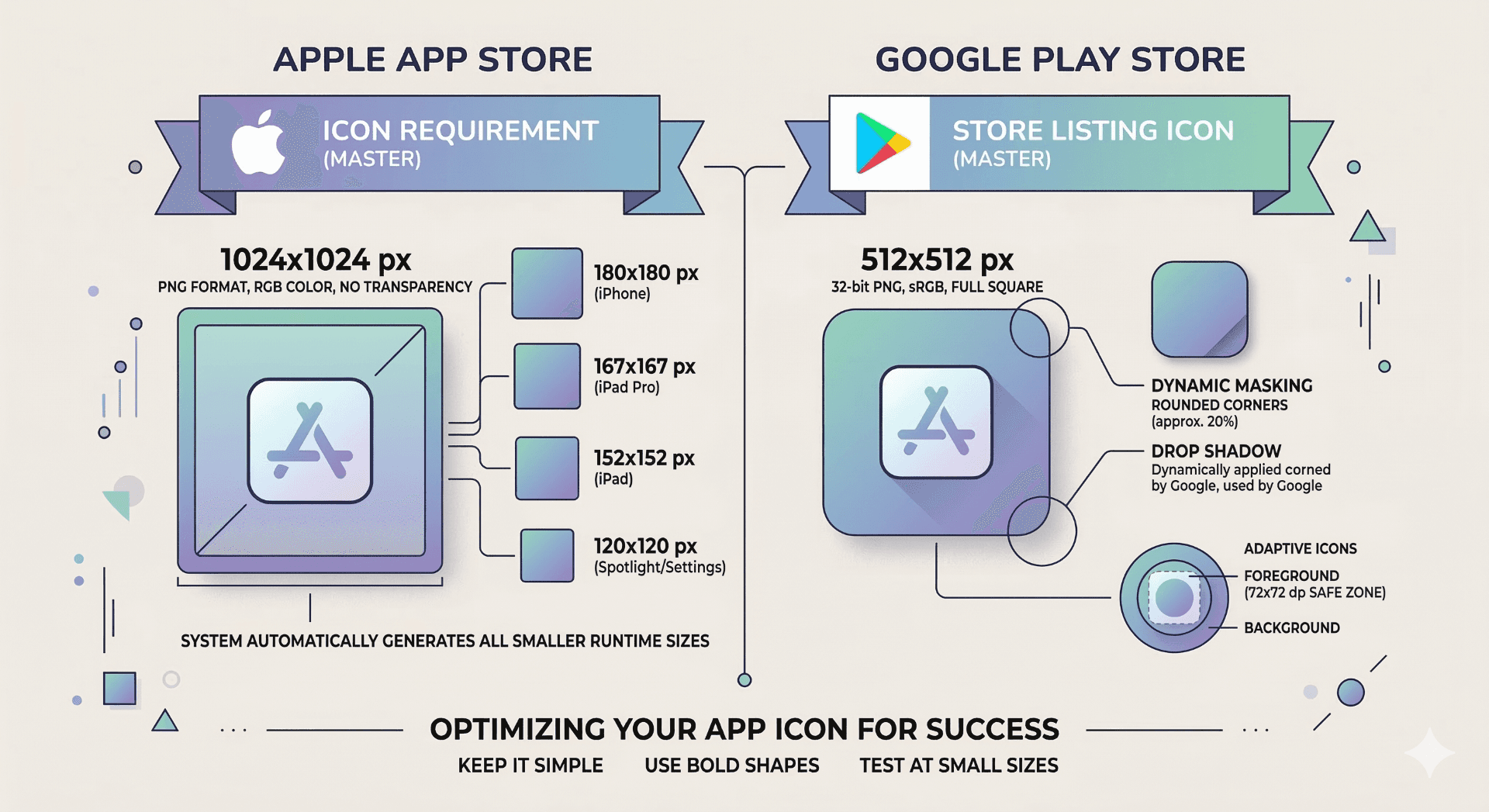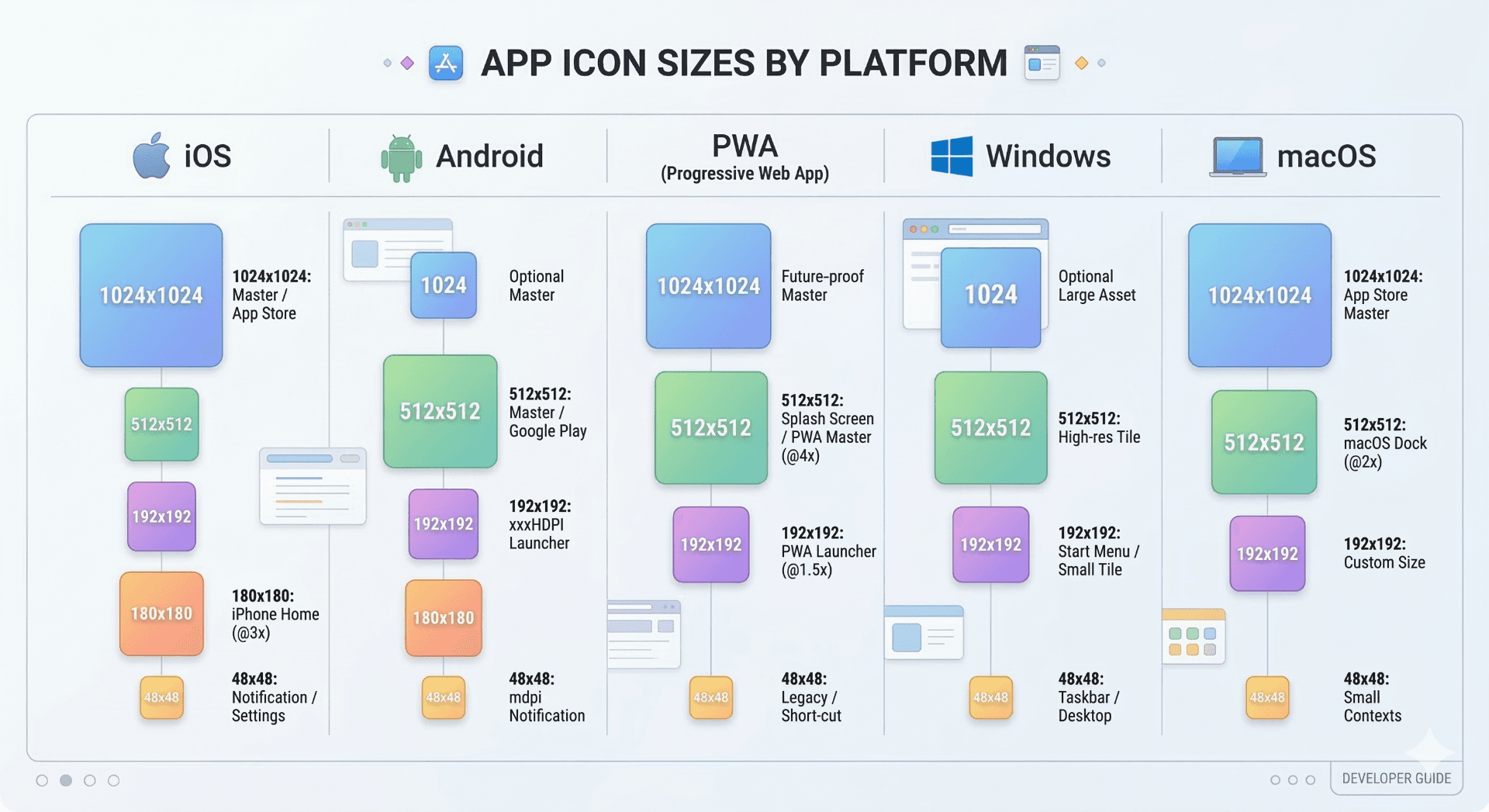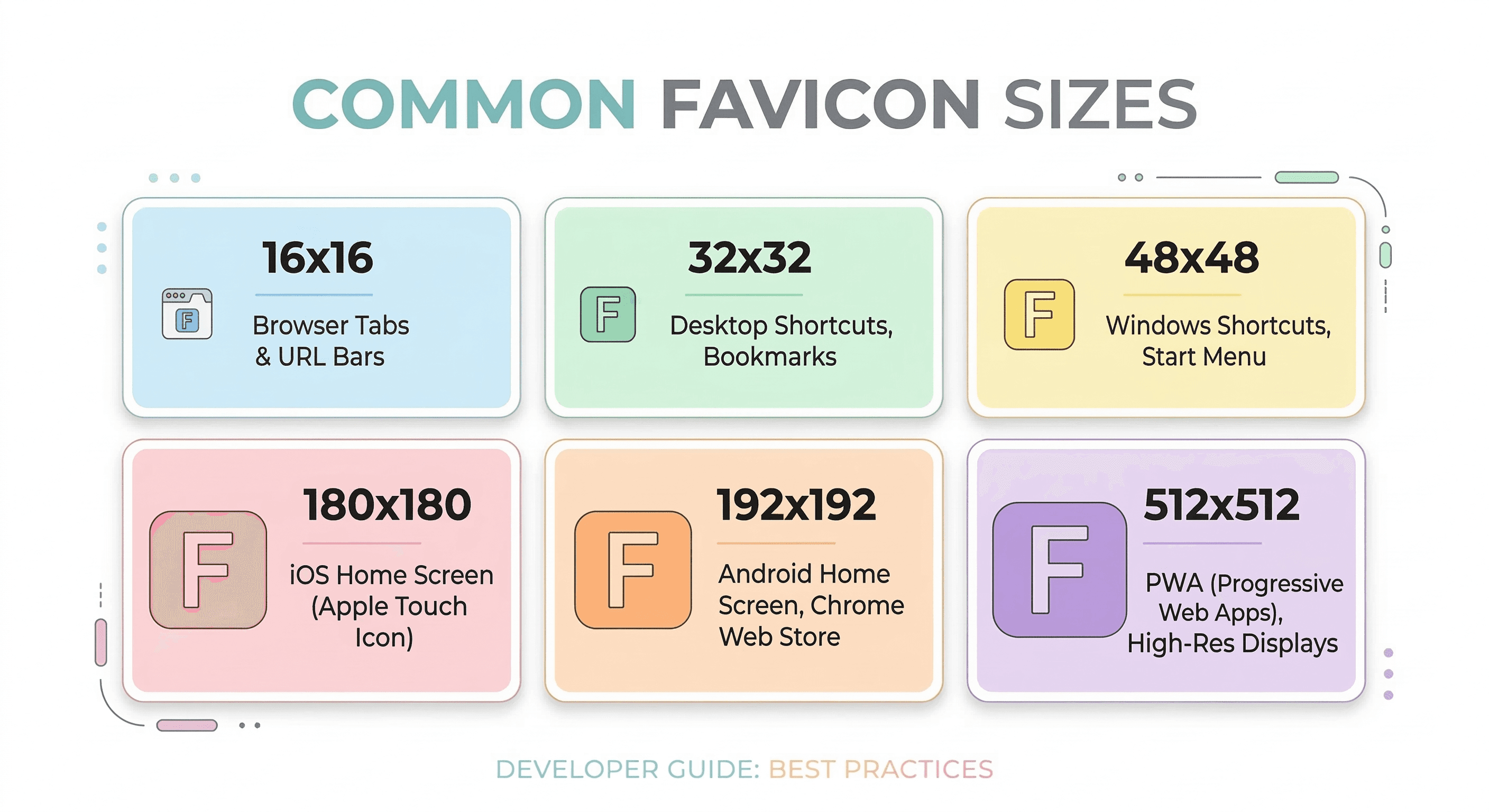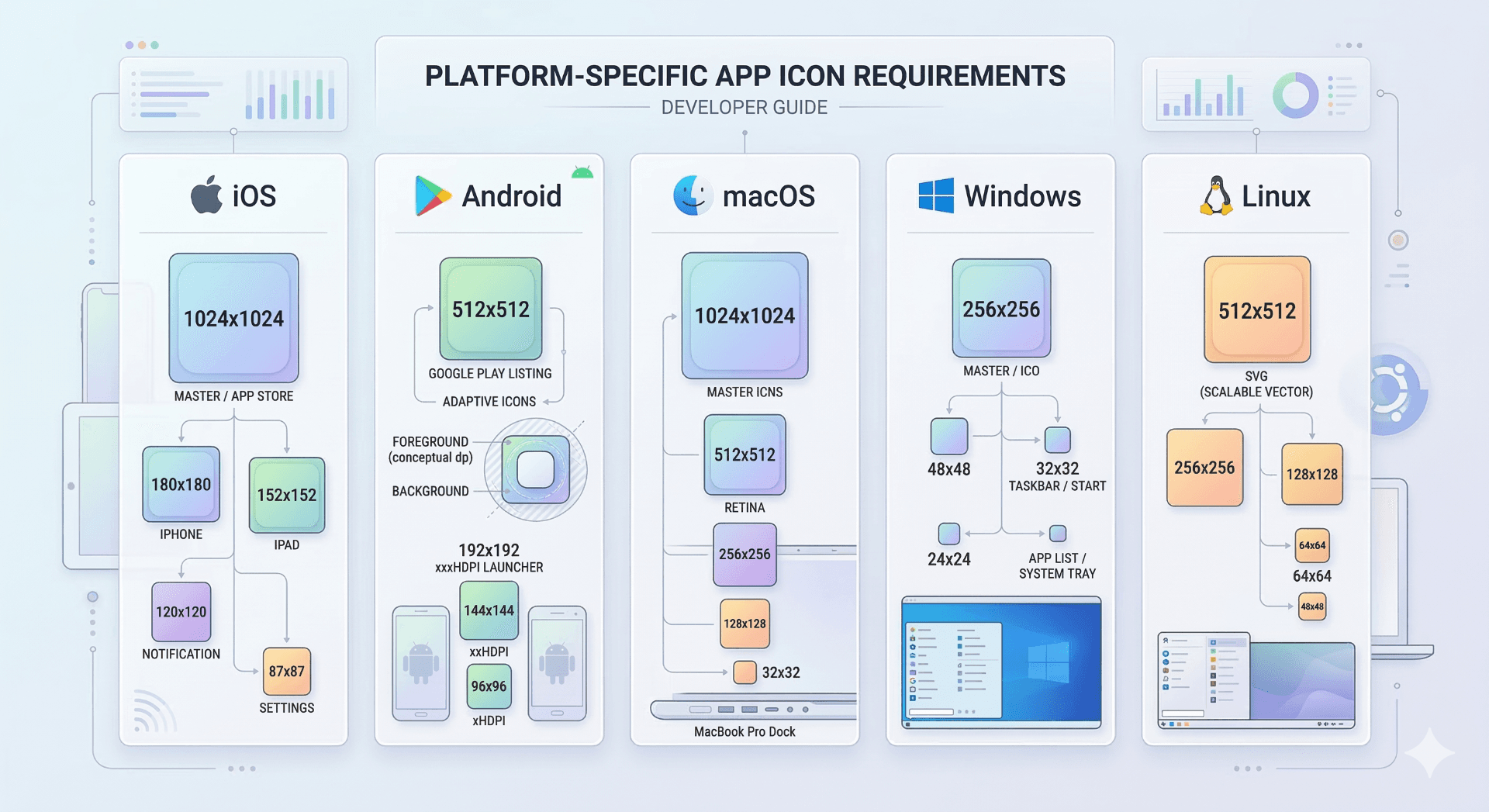
Each platform has its own app icon requirements. iOS typically requires a 1024×1024 icon for App Store submission, Android commonly uses 192×192 launcher icons, PWAs require 192×192 and 512×512 icons, while Windows, macOS, and Linux support multiple icon sizes depending on the environment. Generating a full icon set ensures compatibility across all devices.
Why Platform-Specific Icons Matter
Every operating system uses its own icon system. An icon that looks correct on one platform may appear blurry or incorrectly scaled on another.
Because of this, developers must prepare multiple icon sizes and formats to ensure the application appears correctly on home screens, app stores, and desktop launchers.
Instead of manually exporting icons for every platform, most developers start with a high-resolution source image and generate the required icon set automatically.
Ready to Generate Your Icons?
Use our App Icon Generator to create perfectly sized icons in seconds.
Open App Icon GeneratoriOS App Icon Requirements
Apple requires a 1024×1024 pixel icon when submitting an application to the App Store.
Xcode automatically generates smaller icons for various iPhone and iPad resolutions.
Common iOS icon sizes include:
| Size | Usage |
|---|---|
| 1024×1024 | App Store submission |
| 180×180 | iPhone home screen icon |
| 167×167 | iPad home screen icon |
| 120×120 | iPhone spotlight/search |
Apple icons must be square and should not include transparency.
Android Icon Requirements
Android uses launcher icons for installed applications and web apps.
Most Android launchers support multiple icon densities to ensure icons appear sharp across different screen sizes.
Common Android icon sizes include:
| Size | Usage |
|---|---|
| 192×192 | Android launcher icon |
| 144×144 | Older Android devices |
| 96×96 | Medium density screens |
| 48×48 | Low density displays |
Android also supports adaptive icons, which allow the system to mask icons into different shapes.
Windows App Icon Requirements
Windows applications typically use the ICO file format, which can contain multiple icon sizes in one file.
Common Windows icon sizes include:
| Size | Usage |
|---|---|
| 16×16 | File explorer small icon |
| 32×32 | Standard desktop icon |
| 48×48 | High resolution desktop icon |
| 256×256 | Modern Windows UI |
Using a multi-resolution ICO file ensures compatibility across Windows environments.
macOS App Icon Requirements
macOS uses the ICNS format, which bundles several icon sizes inside a single file.
Common macOS icon sizes include:
| Size | Usage |
|---|---|
| 16×16 | Finder small icon |
| 32×32 | Standard UI icon |
| 128×128 | Application previews |
| 512×512 | Retina displays |
Developers usually generate ICNS files from a single high-resolution image.
Linux Icon Requirements
Linux desktop environments such as GNOME and KDE support PNG icons in multiple resolutions.
Common Linux icon sizes include:
| Size | Usage |
|---|---|
| 48×48 | Application launcher |
| 64×64 | High resolution UI |
| 128×128 | Application menus |
| 512×512 | High resolution displays |
Because Linux environments vary, including multiple icon sizes ensures compatibility.
Best Practice for Cross-Platform Icons
The safest approach when building app icons for multiple platforms is to start with a 1024×1024 square source image.
From that source image, you can generate all required icon sizes automatically.
Manually resizing icons for every platform is time-consuming and often results in inconsistent quality.
Generate All Platform Icons Automatically
Instead of exporting dozens of icon sizes manually, you can generate a complete icon set in seconds.
Upload a single image and automatically generate icons for iOS, Android, Windows, macOS, Linux, and web apps.
Use our[ App Icon Generator ](<https://markifo.com/app-icon-generator)to create perfectly sized icons for every platform.
Ready to Generate Your Icons?
Use our App Icon Generator to create perfectly sized icons in seconds.
Open App Icon Generator