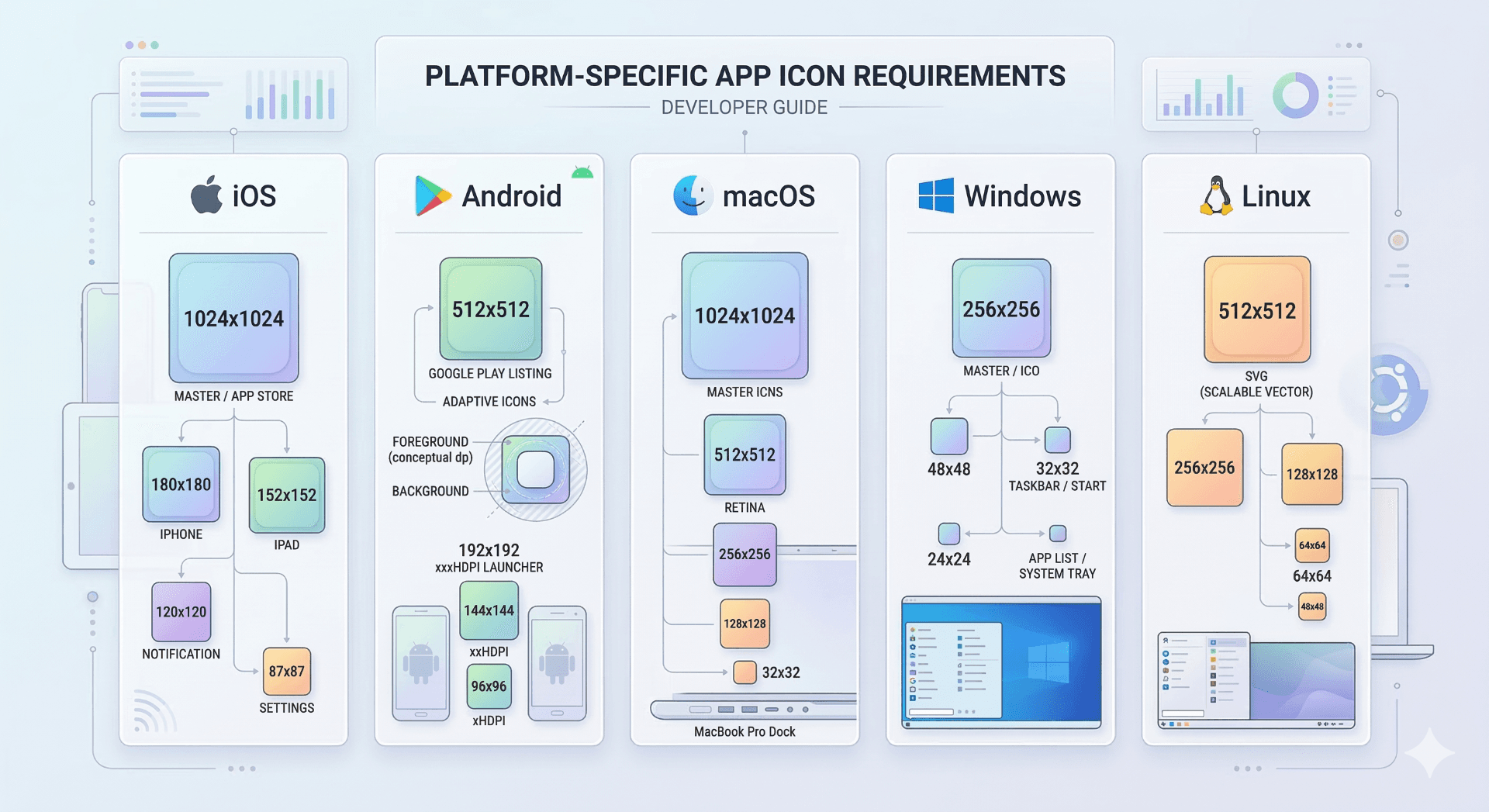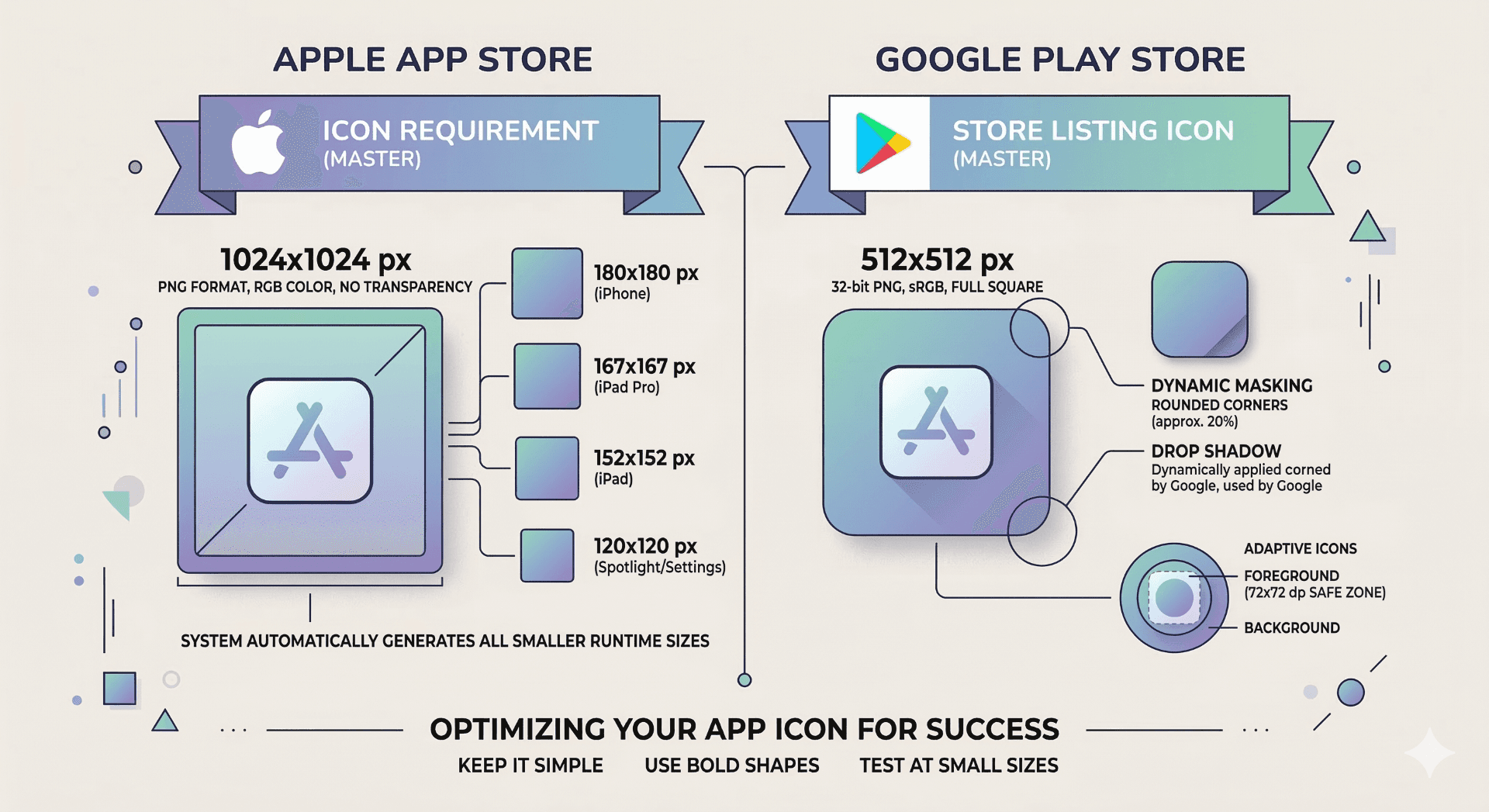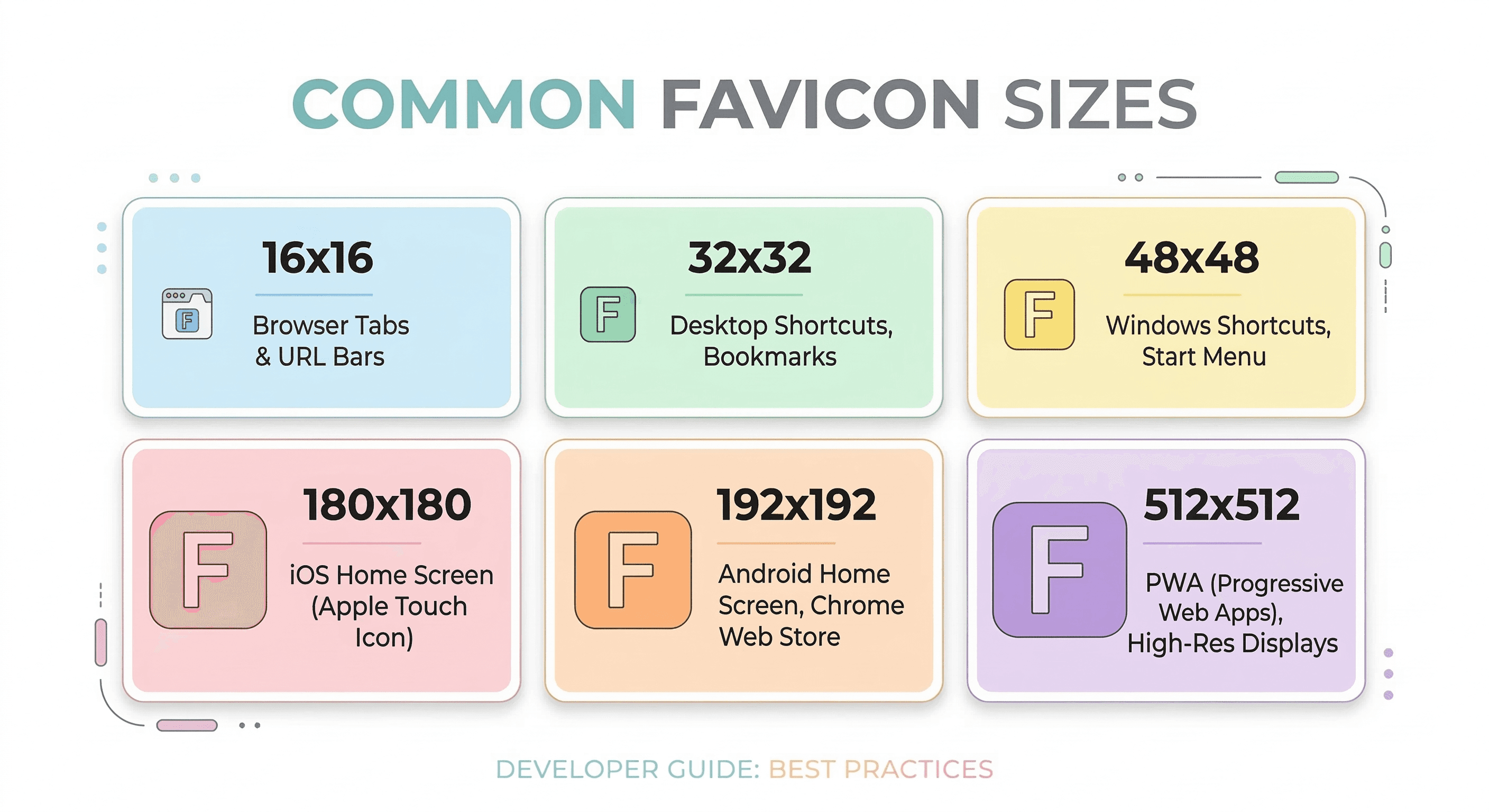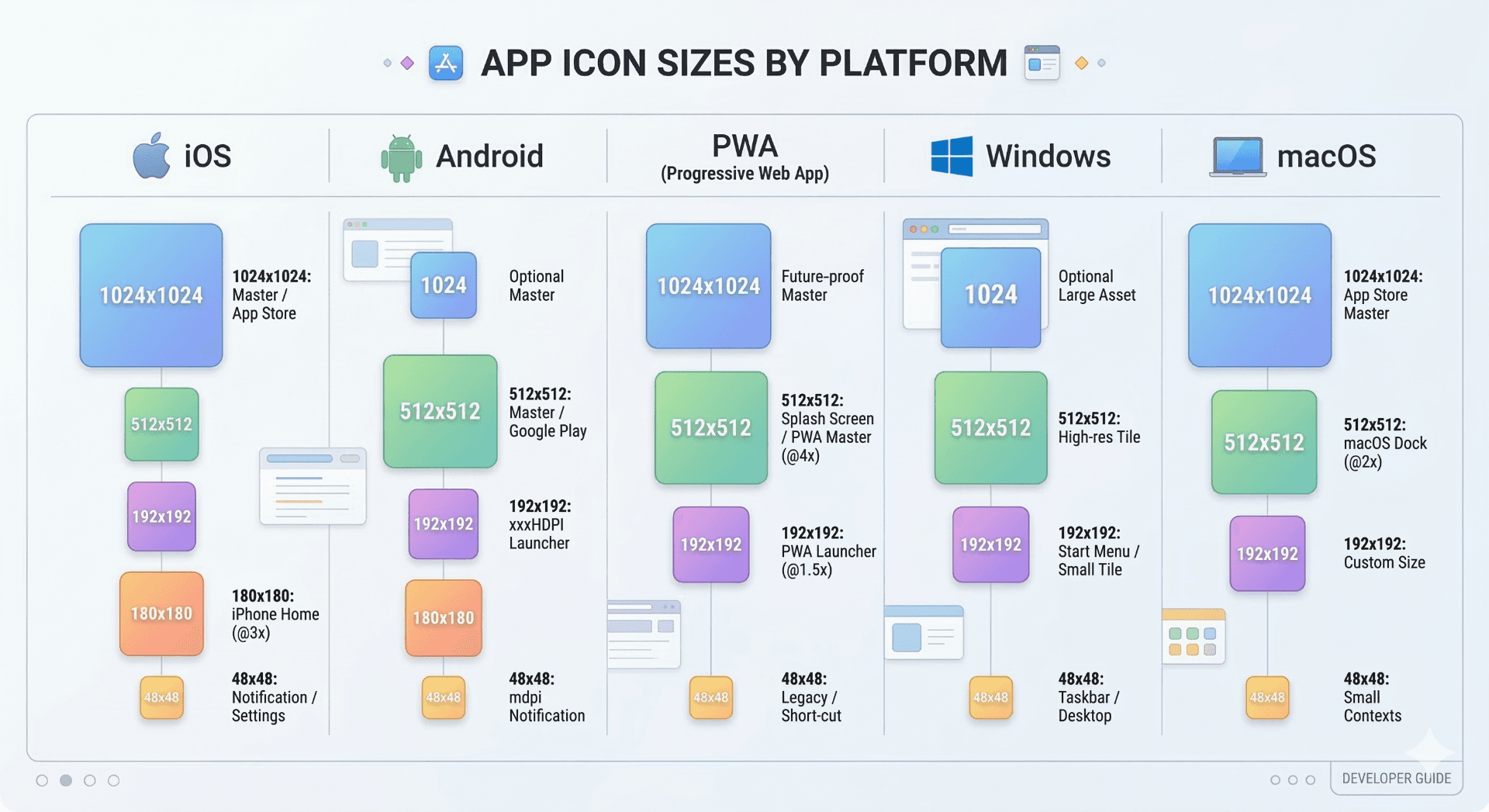
The most common app icon sizes include 1024×1024 for app stores, 512×512 for high-resolution icons, 192×192 for Android and PWA, and 180×180 for Apple touch icons. Each platform requires different icon dimensions to ensure compatibility across devices and displays.
What Is an App Icon?
An app icon is the visual symbol that represents an application across devices and platforms. It appears on home screens, app stores, desktop launchers, and installable web apps.
Although icons are small, they play a major role in branding and user recognition. A clear and properly sized app icon ensures that your application looks professional and remains recognizable on every screen.
Different operating systems require different icon sizes. Because of this, developers usually generate multiple icon dimensions from a single high-resolution source image.
Ready to Generate Your Icons?
Use our App Icon Generator to create perfectly sized icons in seconds.
Open App Icon GeneratorRecommended App Icon Sizes
Modern platforms expect multiple icon dimensions. The most common sizes are listed below.
| Size | Usage |
|---|---|
| 1024×1024 | App Store submission icon |
| 512×512 | High-resolution icons |
| 192×192 | Android and PWA icons |
| 180×180 | Apple touch icon (iOS home screen) |
| 48×48 | Windows desktop icons |
| 32×32 | Small UI icons |
Because each platform uses different sizes, the safest approach is to generate the full icon set from one high-resolution image.
Platform-Specific Icon Requirements
Each operating system defines its own icon standards.
iOS
Apple requires a 1024×1024 app icon for App Store submission. Smaller icons are generated automatically by Xcode for different devices.
Android
Android commonly uses 192×192 icons for launcher icons and installable web apps. Adaptive icons may also require separate foreground and background layers.
Progressive Web Apps (PWA)
PWAs usually require 192×192 and 512×512 icons defined inside the web app manifest.
Windows
Windows applications typically use 48×48 icons for desktop shortcuts and taskbar entries.
macOS
macOS apps use the ICNS format, which includes multiple icon sizes inside a single file.
Linux
Linux desktop environments often use PNG icons between 48×48 and 512×512 depending on the launcher system.
Best Practices for App Icons
Start with a square image of at least 1024×1024 pixels.
Keep the design simple so the icon remains recognizable even at small sizes.
Avoid adding excessive detail since icons appear small on most devices.
Use a transparent background if the platform supports it.
Generate the full icon set instead of manually resizing images.
Generate All App Icon Sizes Automatically
Instead of exporting each icon size manually, you can generate the complete icon pack instantly.
Markifo allows you to upload a single image and automatically generate all required icon sizes for iOS, Android, PWA, Windows, macOS, and Linux.
Use our App Icon Generator to create perfectly sized icons for every platform.
Ready to Generate Your Icons?
Use our App Icon Generator to create perfectly sized icons in seconds.
Open App Icon Generator